
HMPA Help & Tutorial
Learn how to search, browse, align, download, and interpret data in the Human MicroProtein Atlas.
What is HMPA?
HMPA (Human MicroProtein Atlas) is an integrated resource for exploring human small-open-reading-frame (smORF) products and microproteins. The current database contains 617,463 translated microprotein records and 617,424 AlphaFold2-predicted structures, with an average pLDDT of 72.46.
HMPA combines sequence and genomic annotations with structure visualization, variant-effect scores, subcellular localization, essentiality, Gene Ontology function predictions, bioactivity predictions, sequence similarity search, and structure alignment.
What is a microprotein?
Microproteins are short proteins, often encoded by smORFs. Although many contain fewer than 100 amino acids, HMPA includes records up to 150 amino acids. Microproteins can participate in signaling, gene regulation, metabolism, development, and disease-related processes.
How do I search HMPA?
The Home page supports three search modes:
- smORF ID: enter an exact identifier such as
smORF150092. - Gene symbol: enter a symbol such as
EGFRto find nearby annotated microproteins. - Protein sequence: enter an amino-acid sequence to open the BLAST search workflow.
How do I browse and export selected records?
Open the Browse page to search, sort, and paginate the complete table. Select one or more rows to export their protein sequences as FASTA or download available structure archives. Selections can span pages, up to 100 records. “Export current page CSV” exports the displayed page; “Export all filtered CSV” exports the filtered records, up to 50,000 rows. For the complete dataset, use the Download page. Structure ZIP files include a manifest of available and missing IDs. BLAST FASTA exports contain the full matched database sequences, not just alignment fragments.
How do I download complete datasets?
The Download page provides bulk metadata, protein and nucleotide FASTA files, genomic coordinates, source annotations, prediction results, structure archives, and experimentally resolved PDB matches. Large downloads can take substantial time and disk space.
How does structure alignment work?
The Alignment page uses Foldseek to
compare an uploaded .pdb, .cif, or .mmcif structure against one of
the following databases:
- HMPA microprotein structures
- AlphaFold DB proteome structures
- AlphaFold DB Swiss-Prot structures
- PDB structures shorter than 150 amino acids
Uploads are limited to 20 MB. Alignment results open in a generated Foldseek report.
What information is available on a microprotein detail page?
Depending on data availability, each detail page can contain:
- Protein and nucleotide sequences, sequence properties, and genomic coordinates
- An interactive 3D structure viewer and AlphaFold confidence metrics
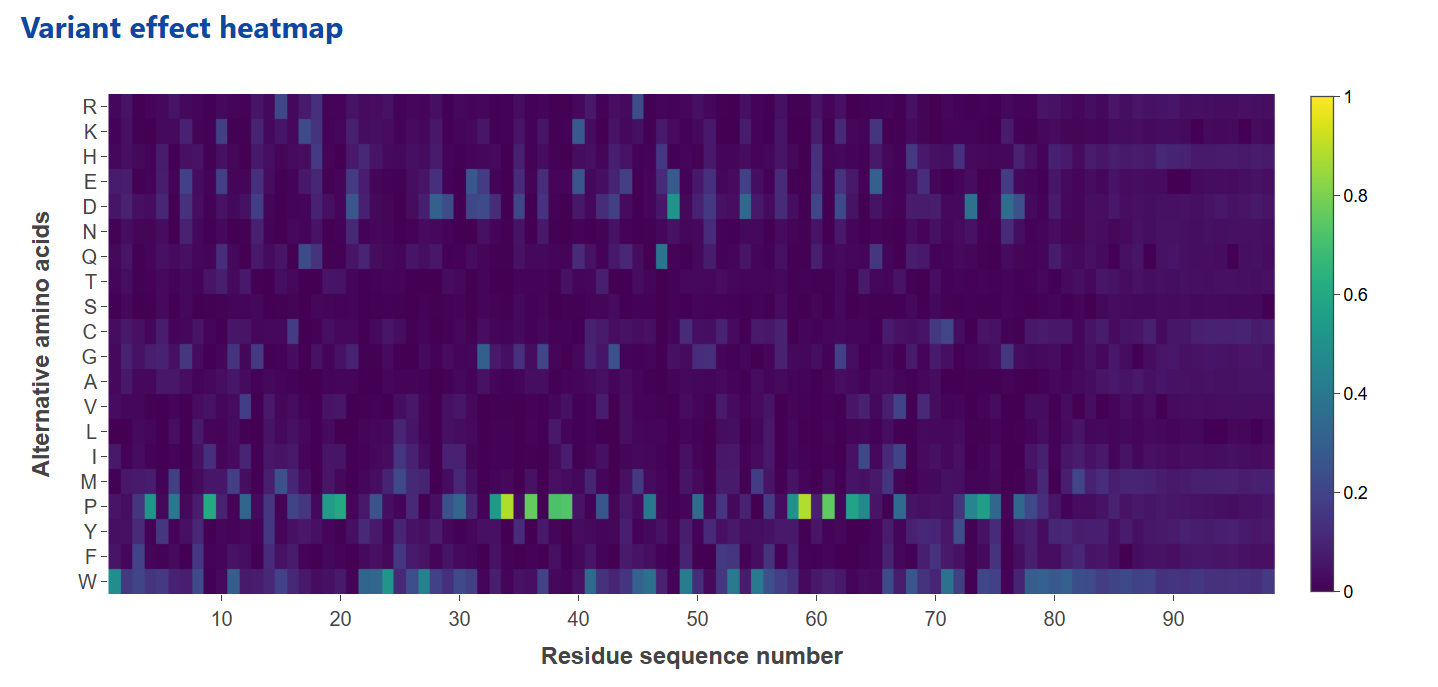
- An amino-acid substitution heatmap derived from ESM-2 residue probabilities
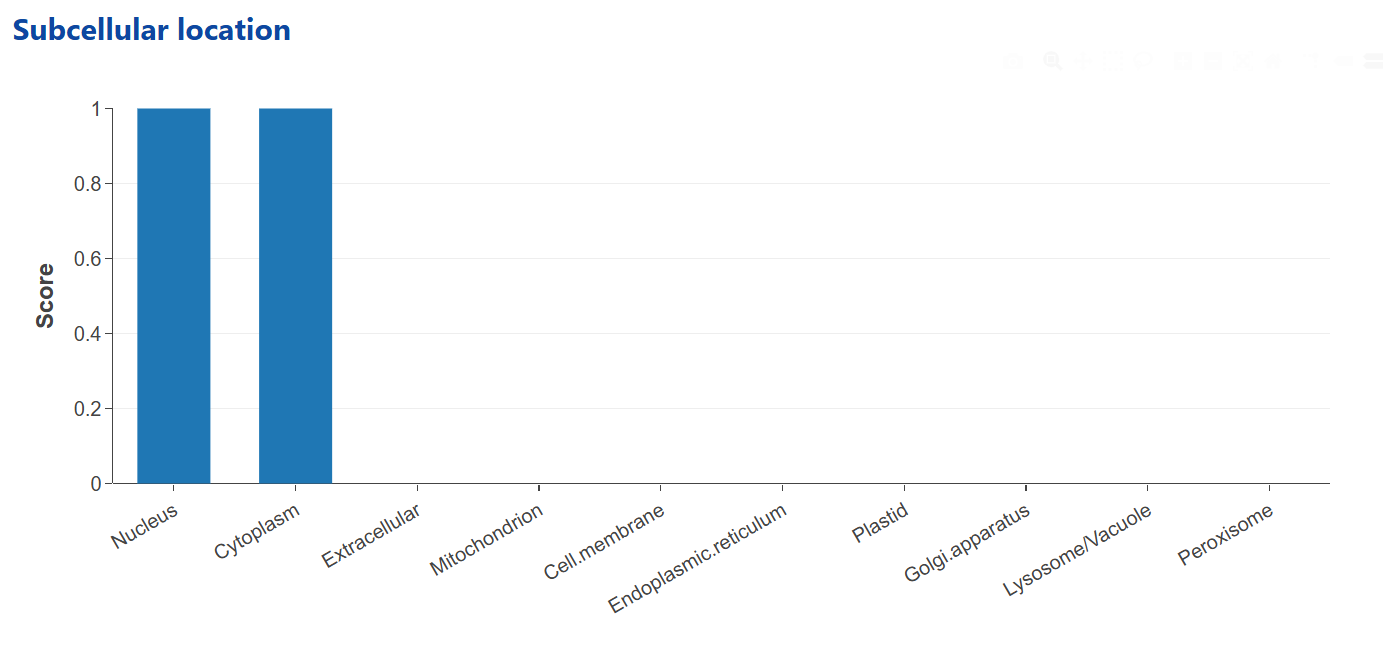
- LocPro subcellular-localization scores
- Essentiality scores across 1,183 cell lines grouped into 30 tissues
- DeepFRI Gene Ontology predictions for biological process, cellular component, and molecular function
- Bioactivity predictions covering 213 activities in 12 major categories
How should I interpret variant-effect and localization predictions?
The variant-effect heatmap summarizes relative scores for possible amino-acid substitutions at each residue. These computational scores are intended for prioritization and hypothesis generation; they are not clinical classifications.
Subcellular localization is predicted by LocPro, which combines ESM-2 representations and sequence-derived features in a multi-label model. Predictions are shown for ten cellular compartments. Localization predictions are unavailable for sequences shorter than 40 amino acids.
How does HMPA predict microprotein function?
HMPA uses DeepFRI to predict Gene Ontology terms from available protein structures. Results are divided into biological process (BP), cellular component (CC), and molecular function (MF), with a score reported for each predicted term. These predictions should be interpreted as computational evidence and validated experimentally where possible.
How do I run a custom bioactivity prediction?
Open the Bioactivity Predictor and paste one or more protein sequences in FASTA format. This workflow accepts sequence input only; structure-file uploads belong to the Alignment page. A submission may contain at most 100 FASTA records and 100,000 characters. Each record must have a unique identifier and 1–1024 standard amino-acid residues; unsupported lengths and residues are rejected before the task is queued. Input sequences are never silently truncated.
The predictor uses ESM-2 sequence representations and task-specific classifiers to return probabilities for 12 major categories and 201 detailed activities. Results are predictions, not experimentally confirmed labels.
Prediction, BLAST and Foldseek run as background tasks. Save the task link to return after leaving the page. Temporary connection failures automatically retry the same task. Queued tasks can be cancelled; running tasks continue in the background. Results expire 24 hours after completion, so download any results you want to keep. Batch predictions show a compact summary and one selected sequence at a time.
What do pLDDT, pTM, and PAE mean?
- pLDDT is AlphaFold's per-residue confidence score from 0 to 100. Higher values indicate greater local confidence.
- pTM is a global confidence estimate from 0 to 1 that is sensitive to overall fold and domain arrangement.
- PAE (Predicted Aligned Error) estimates pairwise positional uncertainty in ångströms. Lower values indicate greater confidence in the relative placement of residues or domains.
Contact the HMPA team at cuiqinghua@bjmu.edu.cn.